
In early December 2025, the maintainer of Notepad++, a popular free and open-source text editor, released a security advisory revealing that some users had their traffic redirected to malicious servers and were infected with malware through the application's update process.
On December 2, 2025, security researcher Kevin Beaumont posted on his blog about rumors and an analysis of the Notepad++ v8.8.8 change log which included a security enhancement described as "prevent Notepad++ Updater from being hijacked."
The author of Notepad++, Don Ho, provided a summary of the incident response findings via the February 2, 2026, update on the software’s website. The timeline according to the documentation from Ho as well as security researcher Kevin Beaumont are as follows:
June 2025 – September 2, 2025:
- Hosting provider & infrastructure used by Notepad++ was compromised
- A kernel/firmware update on September 2 severed the attacker’s access
September 2, 2025 – December 2, 2025:
- Attackers used stolen credentials for internal hosting provider services to continue to access and redirect Notepad++ update traffic to their malicious servers.
November 2025:
- V 8.8.8 is released with the changelog note: “prevent Notepad++ Updater from being hijacked”.
December 1-2, 2025:
- Notepad++ developer migrates the services to a new hosting provider.
- Former hosting provider rotates credentials and remediates vulnerabilities to prevent further access/reattack.
- Kevin Beaumont’s blog is published with additional detail including an allegation that the earliest victims reported hands-on-keyboard activity by the threat actor in October 2025 (“two months ago”).
December 9, 2025:
- V8.8.9 is released with additional hardening.
February 2, 2026:
- Don Ho publishes the update with more detail about the state-sponsored nature of the attack.
- Rapid7 Labs & the Rapid7 MDR team publish details on the campaign and post-exploitation behavior
The issue was fixed in December, but additional details about the breach were later published by Notepad++ developer Don Ho on February 2, 2026.
As noted in Ho's February update, the attacker's targeting was "highly selective," which is good news for most organizations.
There are several key facts to keep in mind when reviewing this vulnerability:
- Attackers had access to the supporting infrastructure for Notepad++ from approximately July to December of 2025.
- The compromise to the supporting infrastructure was resolved and additional protections within the application were implemented by December 9, 2025.
- No additional research has been published that indicates this attack continued beyond December 9, 2025.
While the attack may be ‘stale’, there are lessons to be learned and best practices to implement to reduce the likelihood of future supply chain attacks like this one from being successful in your organization.
How Tanium can help
Asking the following Tanium question can scope your environment to identify versions of Notepad++:
<code>Get Installed Application Version[Notepad++] < 8.8.9 from all entities
</code>For additional detail on what versions were installed in your environment on specific dates, Tanium Asset provides detailed information on product usage. The following question:
<code>Get Asset SIU - Installed Product Usage Details[Notepad++,Notepad++ Team] from all entities with Asset SIU - Installed Product Usage Details[Notepad++,Notepad++ Team]:Name contains Notepad++</code>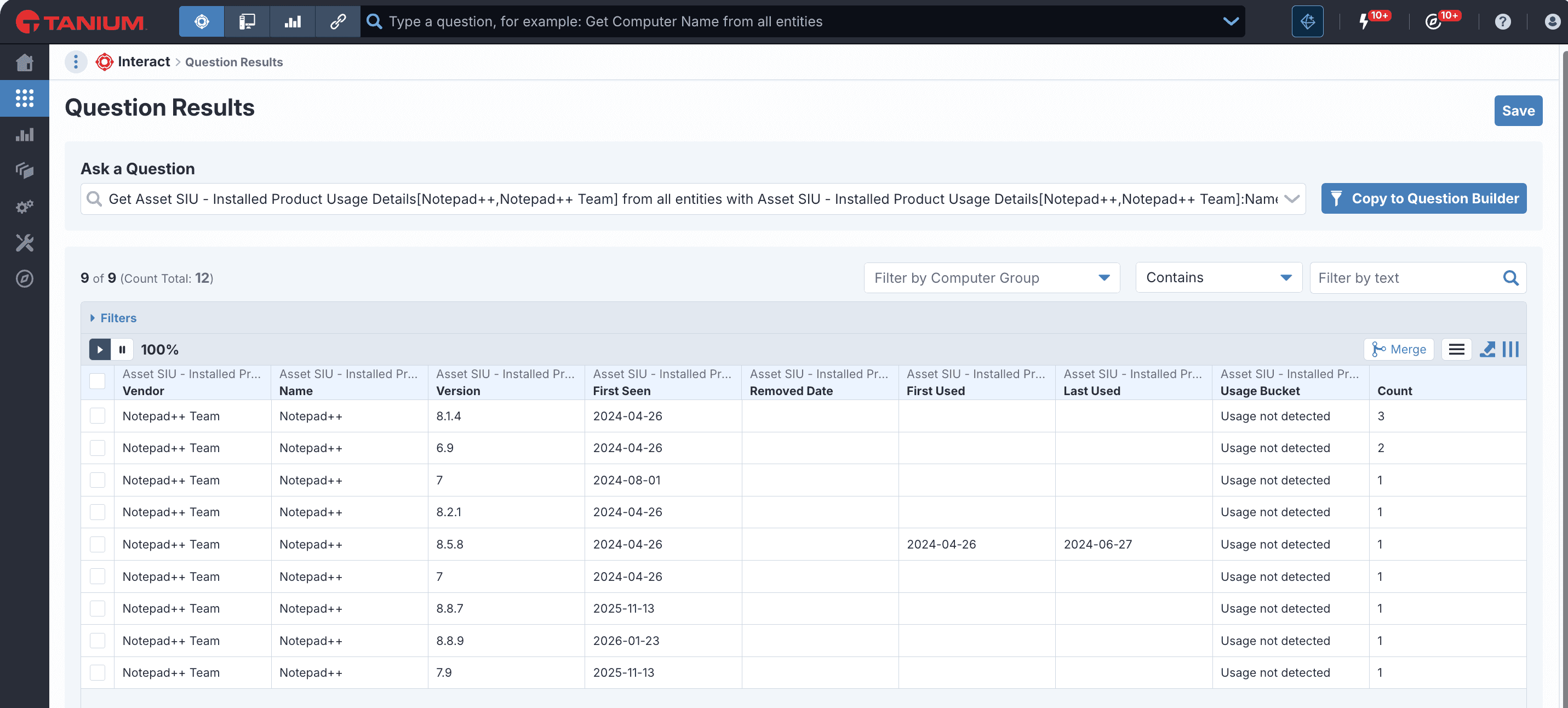
Tanium Ask
Tanium Ask can summarize the state of your environment and surface details on vulnerable versions with a prompt such as:
<code>Identify the Windows endpoints with installed application names containing "Notepad++" and versions < 8.9.1.</code>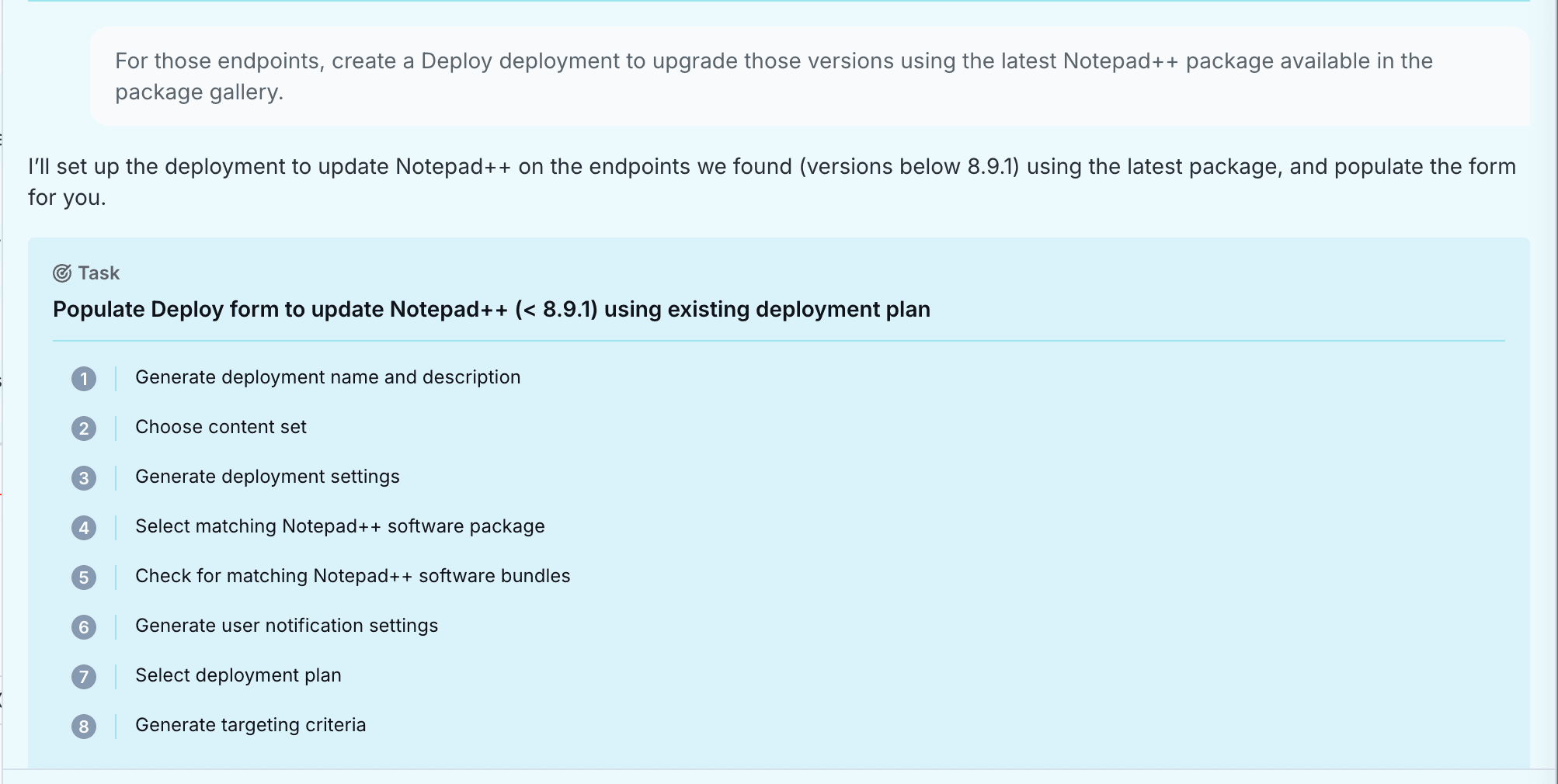
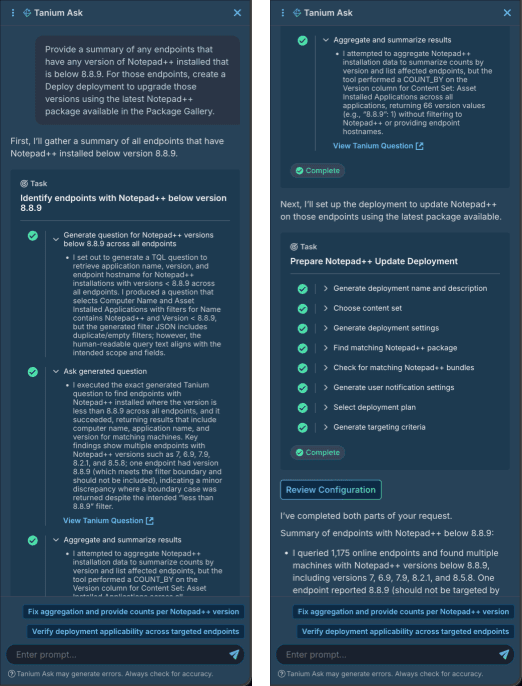
Tanium Ask can quickly automate the process of configuring a Software Deployment to update old versions of Notepad++ and target appropriately. After scoping the vulnerable versions, you can prompt Ask to create Tanium Deploy deployments to upgrade the software to the latest version of the Notepad++ package from the Deploy Package Gallery:
<code>For those endpoints, create a Deploy deployment to upgrade those versions using the latest Notepad++ package available in the package gallery.</code>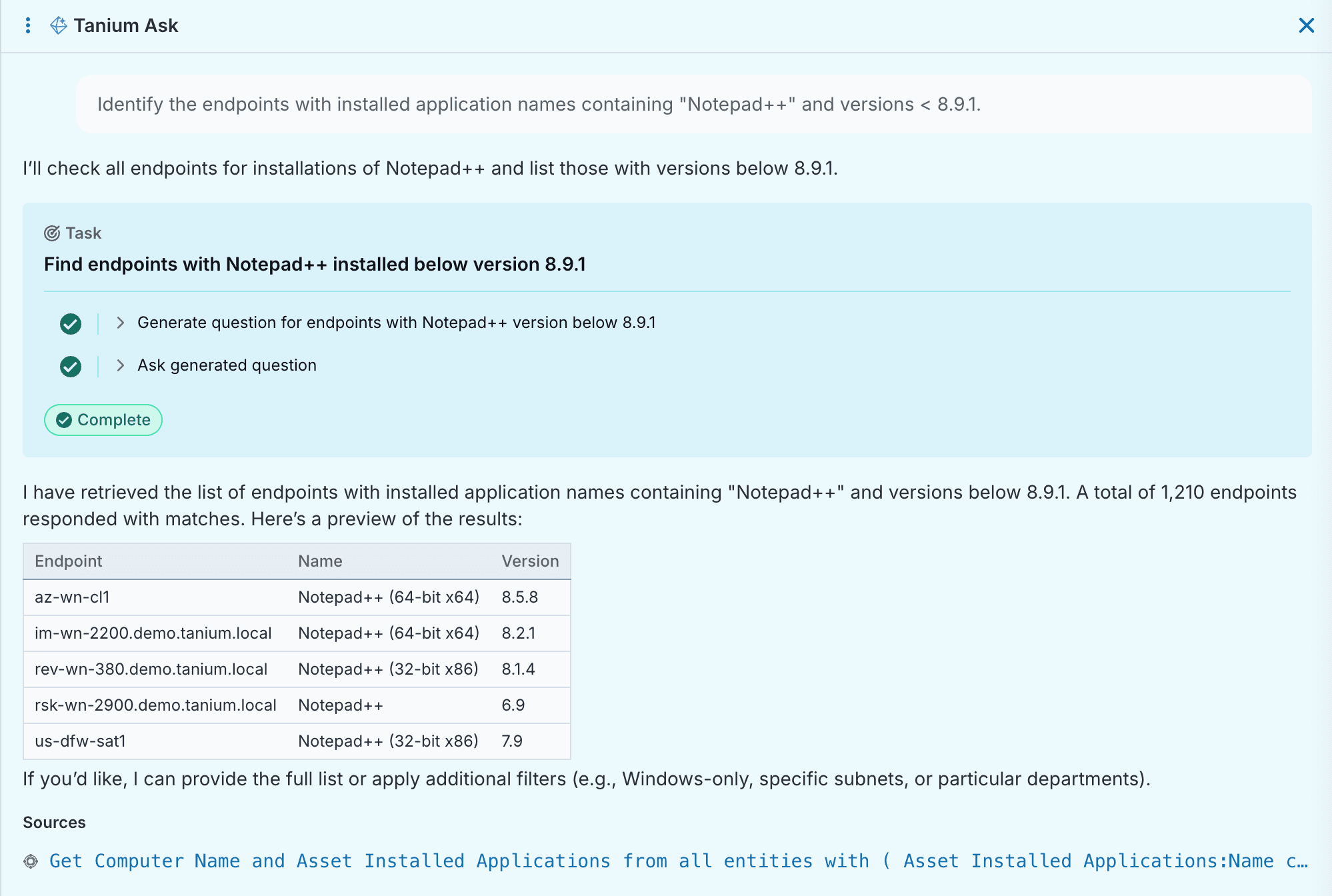
For more information on Tanium Ask, see details in the Tanium Console User Guide for Tanium Cloud.
Tanium Asset Software Inventory and Usage (SIU)
Given the age of the attack and intelligence dating back to July, you may be interested in scoping your environment to better understand your exposure during the active attack window of July – December 2025.
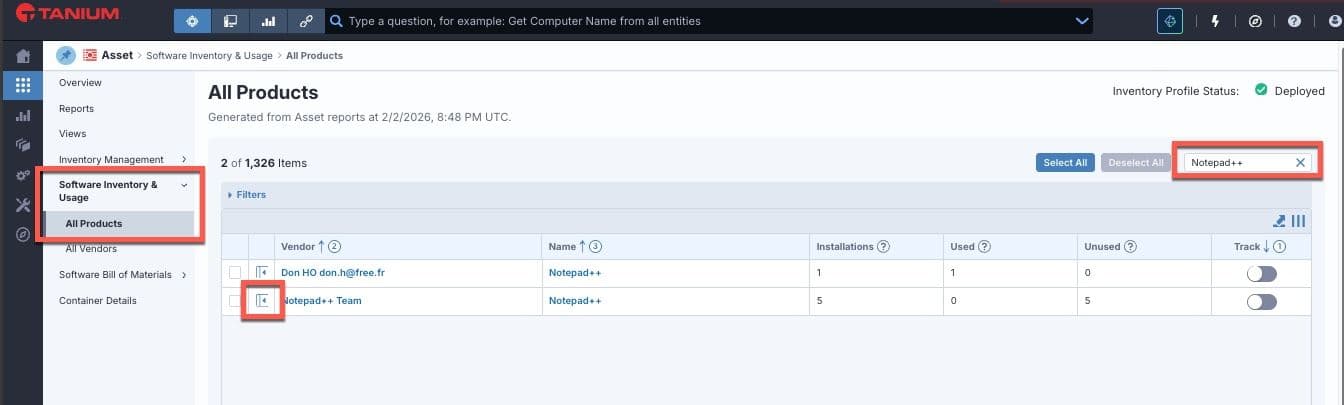
Tanium Asset Software Inventory and Usage (SIU) provides visibility into the First Seen, First Used, and Last Used dates for every version of Notepad++ in your organization. To review this information, navigate to Asset > Software Inventory & Usage > All Products and filter for Notepad++.
Expand the results by clicking the second column to see additional details.
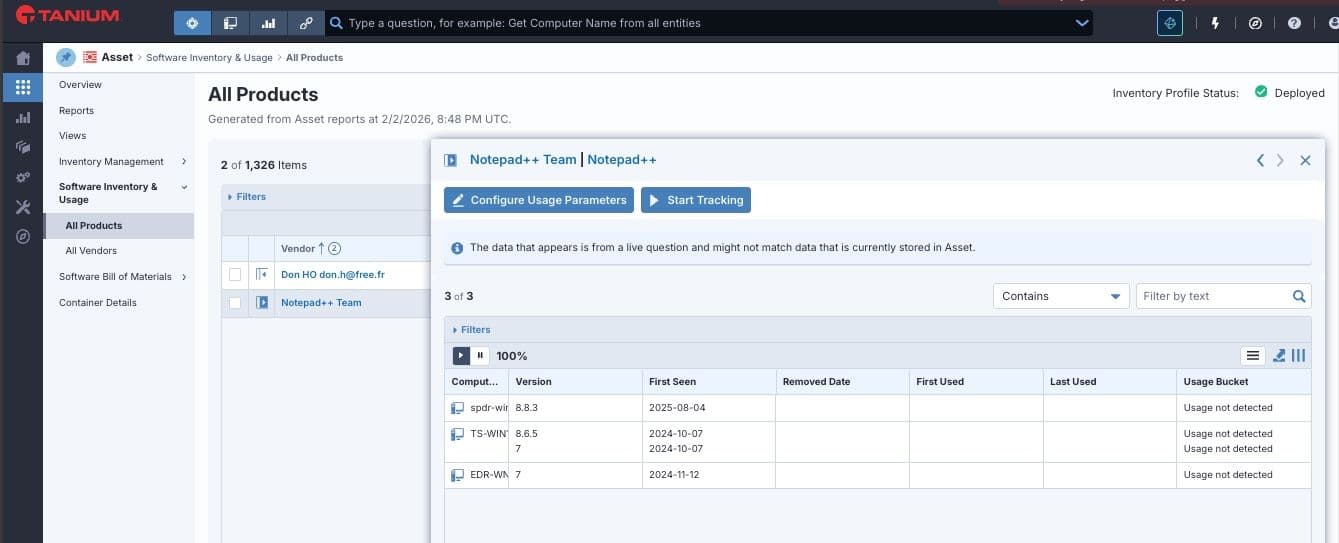
Note: Asset SIU detects installed products through the traditional path in the registry, and portable products through the executable itself. In most cases, vendor name matches in both the executable metadata and registry entry, however Notepad++ can be an exception to this. Asset SIU will sometimes indicate a product Notepad++ with a vendor “Don HO [email protected]”; this is an artifact of how Notepad++ is compiled, and is not a separate or portable app, nor is it indicative of a compromise in this scenario.
To surface this information via Interact, run the following Tanium Question:
<code>Get Asset SIU - Installed Product Usage Details[Notepad++,Notepad++ Team] from all entities with Asset SIU - Installed Product Usage Details[Notepad++,Notepad++ Team]:Name contains Notepad++</code>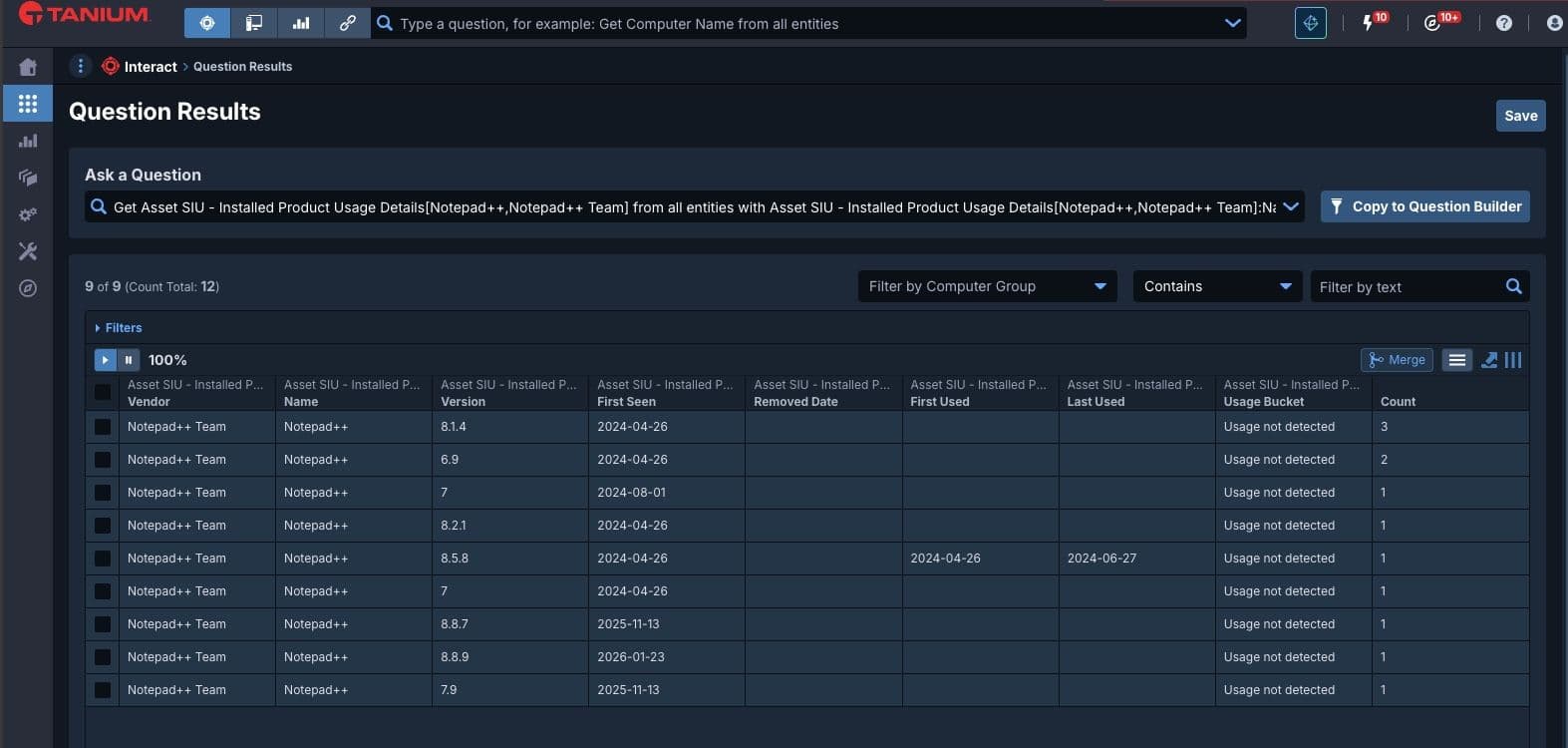
Deploy
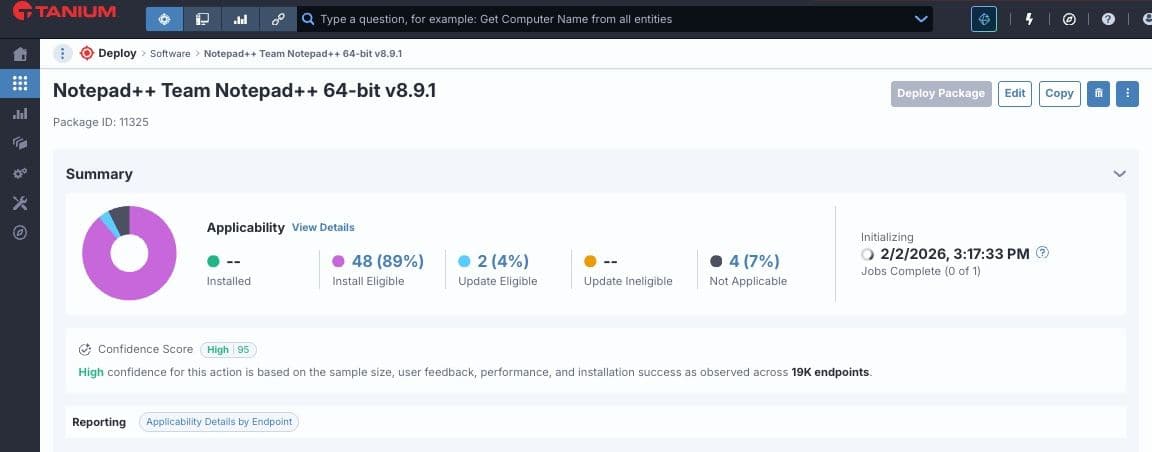
Tanium Deploy includes content for upgrading and uninstalling Notepad++. You can import the appropriate package and configure to install, update, or remove the application from endpoints in your environment. For more information on leveraging Tanium Deploy, refer to the Tanium Deploy User Guide.
A note from Tanium Product Security
Outside of manual configuration or changes, customers using Tanium Deploy for Notepad++ updates are not exposed at this time. Tanium will continue to monitor. Please contact support for additional information.